Stop juggling terminal tabs, give your Claude Code agents an office you can see
Every agent gets a desk, a status light and a room. Spot the one that is stuck in a second, talk to it where it sits, and let your marketing agent run your Meta and Google Ads.
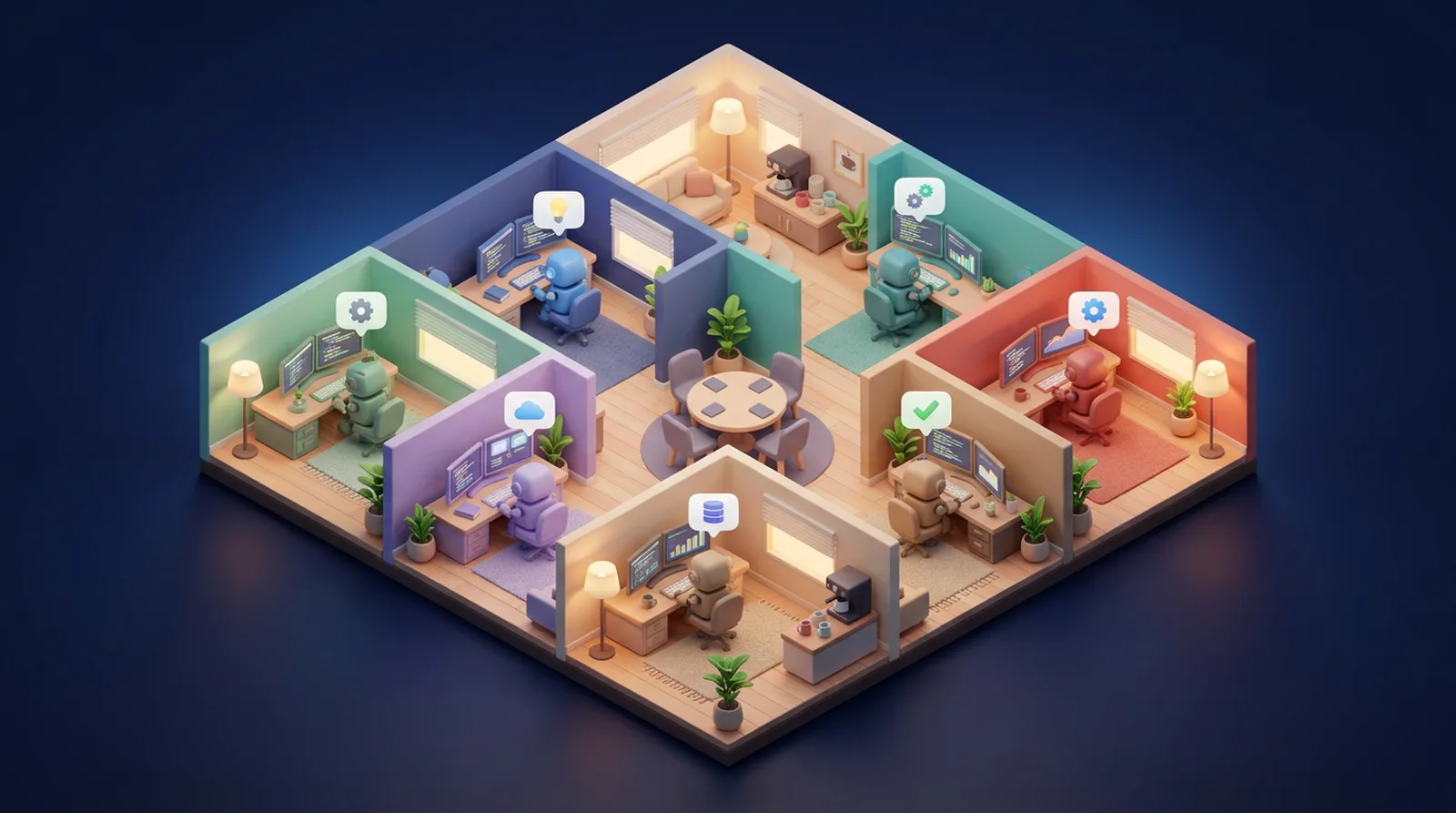
Ten agents in ten terminals is chaos, ten agents in one office is a team
Ralmutino turns your running agents into people you can see: who is working, who is waiting for you, who is done.
See who is stuck, instantly
Each desk shows a live status: working, blocked, done or idle. The agent that needs you lights up, no more scrolling through logs.
Talk to an agent at its desk
Click an agent to read what it reported and send it your next instruction. It picks up the message from Claude Code.
Rooms that match how you work
Research, dev, marketing, clients: name your rooms, resize them, pick their color and seat your agents where they belong.
Make it yours
Add plants, screens, shelves, a coffee machine. It sounds small, until it is the tab you keep open all day.
Your Claude Code, your machine
Your agents keep running on your computer with your own account. The office only receives status and messages, never your code.
Agents that launch your ads
Connect the Meta Ads and Google Ads MCP servers and let a marketing agent build and report on your campaigns.

Build the office your agents deserve
Drag your agents between rooms, rename a room in one click, and change its size and color whenever your setup changes.
- Name, size and color for every room
- Accessories: plants, screens, shelves, lamps, coffee machine
- Seat agents by project, client or role
- Shared offices for your team on the Agency plan
Up and running in 3 steps
No install on our side, one command on yours.
Open your office
Try the demo, then pick a plan. Your office is ready with a first room and a few desks.
Connect Claude Code
Paste the command from your dashboard into your terminal.
Watch your agents work
Your agents register at a desk, update their status as they go and wait for your messages when they need you.

Your marketing agent runs Meta and Google Ads from its desk
Connect the Meta Ads and Google Ads MCP servers to your agents. Brief the marketing agent in its room, follow its progress live, and read its report when the campaign is set up.
- Build campaigns: audiences, ad copy and structure drafted by your agent
- Daily reports posted in the agent's chat
- You stay in control: your ad accounts, your budgets, your approval
Simple plans, pay yearly and get 2 months free
Start small, unlock ads integrations when your agents start running campaigns.
Starter
For solo builders running a handful of agents.
- 1 office
- Up to 5 agents
- 2 rooms
- Live status & agent chat
- Connect your own Claude Code (MCP)
- Accessories & room colors
- Email support
Pro
For operators who run agents all day, ad campaigns included.
- Unlimited offices
- Unlimited agents & rooms
- Everything in Starter
- Meta Ads integration (MCP)
- Google Ads integration (MCP)
- Full message history
- Priority email support
Agency
For agencies running agent offices for their clients.
- 5 client offices
- Unlimited agents & rooms per office
- Everything in Pro
- Team seats & shared offices
- Separate ad accounts per client
- Priority support
- Onboarding call
Questions, answered
Do I need Claude Code to use Ralmutino?
To have real agents show up in your office, yes. Ralmutino connects to the Claude Code you already use through MCP, with one command. You can still open the live demo without anything installed.
Does Ralmutino run my agents or see my code?
No. Your agents keep running on your own machine, with your own Claude account. The office only receives what your agents send it through MCP: their name, status (working, blocked, done) and the messages you exchange with them.
How do I connect my Claude Code?
After signing up you get a personal key and a ready-to-paste command (claude mcp add). Paste it in your terminal, restart Claude Code, and your agents can register themselves at a desk and update their status.
Can my agents launch Meta Ads and Google Ads campaigns?
Yes, on Pro and Agency. Plug the Meta Ads and Google Ads MCP servers into your agents and give them the brief from their desk. You follow the work in the office and read the agent's report in the chat. Your ad accounts stay yours, and you set the budgets.
What can I customize in the office?
Rooms (name, size, color), which agent sits where, and accessories like plants, shelves, screens or a coffee machine. Starter includes 2 rooms, Pro and Agency are unlimited.
Can I try it before paying?
Yes. Click “Try it now”: the demo office opens instantly, no signup, no card.
How does yearly billing work?
Pay for 10 months and get 12. Starter is $190 a year instead of $228, Pro $490 instead of $588, Agency $1,490 instead of $1,788.
Can I cancel anytime?
Yes. Monthly plans stop at the end of the current month, with no fees and no questions.
See your agents at work in 10 seconds
The demo office opens in your browser. Nothing to install, no account needed.
Try it now — no signup